The big announcement was made yesterday we have one more week then we are on level 3. Schools will go back on the 29 April only for students of essential workers and parents that are working. They are requesting to keep you, children, at home if you can.
I will carry on working from home this just means more hangouts and supporting teachers distantly.
We have had many online toolkits this week on screencastify, for support teachers, Hapara workspaces and Junior Slide slam tomorrow.
There was a great turn out from support teachers who are doing a great job commenting on student blogs and joining in the class hangouts.
I have been exploring with audio in slides using vocaroo for the audio files. This is my first attempt so I can show junior teachers tomorrow. This has been a great time to have a chance to explore some of the new tools and updates.
Tuesday, 21 April 2020

Wednesday, 15 April 2020
Week 3 Lockdown
Week 3 of lockdown nearly over we head into week 4. Will it be the last week or will lockdown level 4 be extended?? The daily case numbers are down but our death rates are on the increase as it has spread to a couple of elderly homes and the elderly are not strong enough to fight the virus.
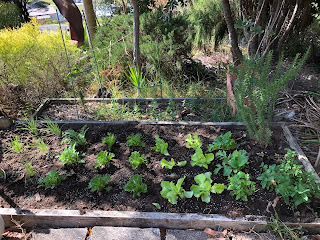
With a nice break with Easter just finished it was good to watch some movies, get out in the garden and do some cooking.

But today is a day that will also go down in history as New Zealand schools start teaching from home or distance learning while the country is in lockdown. I have had emails, phone calls and texts from teachers all weekend with the common title "HELP".
I have set up myself in the backroom as our weather has turned very cold and wet my two men at home are now inside a lot more and are very noisy and distracting.

With a nice break with Easter just finished it was good to watch some movies, get out in the garden and do some cooking.


But today is a day that will also go down in history as New Zealand schools start teaching from home or distance learning while the country is in lockdown. I have had emails, phone calls and texts from teachers all weekend with the common title "HELP".
- How do I embed a video?
- The sound is not working in the video?
- I can not get the video embedded in the site.
- My site links are not working.
I have set up myself in the backroom as our weather has turned very cold and wet my two men at home are now inside a lot more and are very noisy and distracting.

I have had to move the desk around from under the window as I had a clear view over my shoulder of the pathway to the toilet and while in a hangout my 18year old son wandered through in his boxes.. A good lesson for teachers and students at home in Hangouts to make sure you have a wall behind you.
This week is a short week but we have support hangouts today and tomorrow for teachers in the Te Hiku and Kaikohekohe clusters on Google hangout Meet and Hapara and DFI on Friday. I am also creating videos for teachers to add to their sites. Some are how-to videos for rewindable learning and others are just to say Hi and connect with students. I thought I might do some of me reading stories for the junior classes. I will also remind the students to be cyber smart while on their devices and online. It is frustrating when you hear on the news that we can not trust students. We should just block everything. That will not teach students to be cyber smart. I notice my email box starting to fill up so I had better go. Good luck to all teachers, students, and Whanau with online learning.
Monday, 6 April 2020
Grid view for Hangout meets
This wonderful resource has been shared which allows you to view every screen in the hangout on your screen. Which as we move to distance learning using this as a key connect tool this is vital.
This is a great extension for google hangout "Google Meet Grid View " we have been trialing it in our daily hangouts and it is a great way to view everyone in the hangout. Here are the instructions on how to install it.
Installation
To install the "Google Meet Grid View" extension do the following:
Now that the Grid View extension is installed, anytime you are in a Google Meet you will now see a new button in the top right corner of the Meet window (next to the "People" and "Chat" button).
Simply click on this button to turn Grid View on or off. Once you turn it on you will now see all of the participants in the meeting.
There are a few options you can adjust in the drop-down menu below the button.
Note: Keep in mind, this extension is only changing the view for you, and not for the other people in the meeting. Each person controls their own view. For other people in the meeting to see the grid, they also need to install the extension one time, and then they can turn the Grid View on or off for themselves.
Google Meet Grid View is a great extension to help everyone in a meeting or classroom feel like they are more connected with the group.


This is a great extension for google hangout "Google Meet Grid View " we have been trialing it in our daily hangouts and it is a great way to view everyone in the hangout. Here are the instructions on how to install it.
Installation
To install the "Google Meet Grid View" extension do the following:
- Go to the extension's page in the Chrome Web Store - "Google Meet Grid View"
- Click the "Add to Chrome" button to install the extension.
- Give it permission to install.
- And then that is it! The extension will now show up in the top right corner of your web browser.
Now that the Grid View extension is installed, anytime you are in a Google Meet you will now see a new button in the top right corner of the Meet window (next to the "People" and "Chat" button).
Simply click on this button to turn Grid View on or off. Once you turn it on you will now see all of the participants in the meeting.
There are a few options you can adjust in the drop-down menu below the button.
- "Only show participants with video" - If you check this box then Grid View will not show anyone who has turned off their webcam or who doesn't have a camera to begin with.
- "Highlight speakers" - If you check this box then anytime someone is speaking, a yellow box will appear around their them in the grid. This can help make it easier to see who is talking.
- "Include yourself in the grid" - You can check or uncheck this if you want to see yourself as well or not.
Note: Keep in mind, this extension is only changing the view for you, and not for the other people in the meeting. Each person controls their own view. For other people in the meeting to see the grid, they also need to install the extension one time, and then they can turn the Grid View on or off for themselves.
Google Meet Grid View is a great extension to help everyone in a meeting or classroom feel like they are more connected with the group.
Friday, 3 April 2020
Limit the Links
One week has gone very quick when you have a long list of things to do. I have been part of 4 online DFI workshops which has been good to connect with others across the country. It is also an opportunity to keep up to date with the google resources and changes that are happening daily especially as the world is going to distance learning. Also to hear Dorothy make the connects to the Manaiakalani Pedagogy.
I have made class sets of blogs, added resources to the Te hiku site, created a Distance learning page to share resources. I also realized the links to school class sites needed updating so I had to get them off the school web pages and add them to the Te Hiku site.
Daily we have been having catch-ups as a team in a google hangout from 3.30-4pm which has been great to connect and make sure we are all feeling safe and sharing the correct information at such an unsure time in education. The key document for us is Limit the Links.


I have made class sets of blogs, added resources to the Te hiku site, created a Distance learning page to share resources. I also realized the links to school class sites needed updating so I had to get them off the school web pages and add them to the Te Hiku site.
Daily we have been having catch-ups as a team in a google hangout from 3.30-4pm which has been great to connect and make sure we are all feeling safe and sharing the correct information at such an unsure time in education. The key document for us is Limit the Links.


Monday, 30 March 2020
DFI By Hangout Through Lock Down.
Today Friday 27 March day 2 of the lockdown Manaiakalani did a DFI (Digital fluency Intensive) by google hangout from all across New Zealand. Dorothy leads the day and lots of facilitators were there to support and lead some presentations. Everyone was asking questions in the comments. Then for the leveling up sessions 2 or 3 participants were paired up with a facilitator and we went into our own hangouts and supported small groups through setting up a google form and google sheets. The small groups worked well with them being able to share their screens and me talking them through things. Then I could also share my screen and model for them and they could follow on their device. Having 2 devices for the day made it a lot easier to follow the slide show and the speaker and comments. With the corona 19 lockdown teachers are being forced to use their devices and are stepping up and taking more risks and trying new things. They are going outside their comfort zones. They realize after the 2-week break which starts today, when school goes back on Wednesday 15 April we will still be in lockdown and will be doing learning through distance learning on the class learning site.


Thursday, 26 March 2020
Day 1 of Isolation at Home.
This day in the future will be talked about. Hopefully how we as a country stoped the virus in New Zealand.
I am proud to be a kiwi and of how Jacinda and her team made the quick decision to lock the country down. For once we are way ahead of Australia and a lot of other countries. I am at home working for Manaiakalani we are very busy supporting schools and teachers with distance learning which is very easy for the teachers using sites, blogs and hangout meetings. We are regularly having meetings each day in our organization which is good to be in contact with and kept up to date on information and sharing resources, ideas and MOE info. It is a good opportunity to do some professional learning and upskilling.
It is important to post videos to the students to keep in contact and for them to see a familiar cheerful face.
I had fun at Kaingaroa school before shutting down making videos.

Please everyone out there in kiwi land keep in your bubble and we will beat this.

Friday, 13 March 2020
Online toolkit
This week I presented my online toolkit on Amplify Talk Moves.
It was great to get back into my Mathematics and statistics hat. This presentation I made a very hands-on one with the teachers doing exactly what you would get the students to do. It was hard to judge the time as it is teachers, not students completing the activities. Some of the main areas, I wanted to emphasize was the purpose and big idea of the lesson. We also looked at a couple of tools to help amplify the student's voice and discussed and shared ideas of how we could turbocharge the get ideas and voice of the students. I felt it went well and feel after looking at the cluster data Maths and statistics is an area we need to focus on.
Subscribe to:
Comments (Atom)